> For the complete documentation index, see [llms.txt](https://documentation.hak5.org/packet-squirrel-mark-ii/llms.txt). Markdown versions of documentation pages are available by appending `.md` to page URLs; this page is available as [Markdown](https://documentation.hak5.org/packet-squirrel-mark-ii/getting-started/networking-and-modes.md).
# Networking and modes
What goes in might come out
The Packet Squirrel supports several network modes.
Network modes are configured by payloads: Choose the best mode for your purposes! Payloads should use the `NETMODE` command to set the appropriate mode, for instance:
```
# Set transparent bridge mode
NETMODE TRANSPARENT
# Perform other operations
...
```
## NAT
`NAT`, or Network Address Translation, is the most basic network mode.
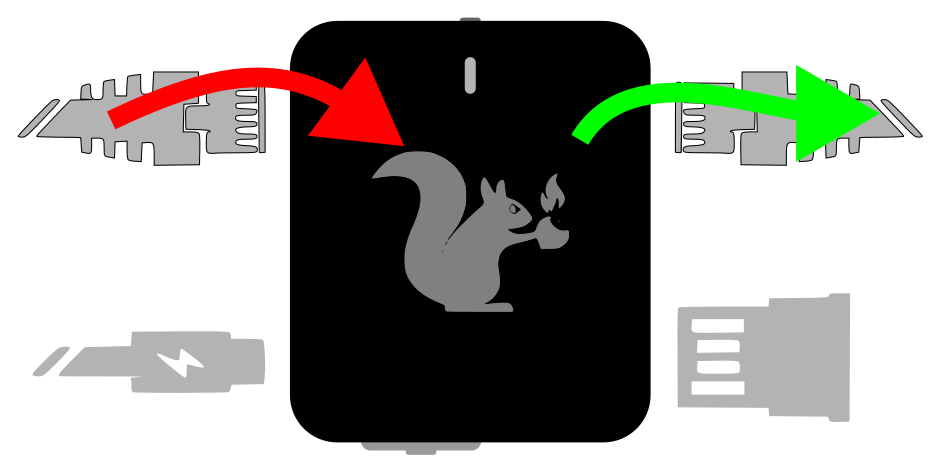
Packet Squirrel NAT mode
In `NAT` mode the Packet Squirrel acts as a router, similar to that likely found on the average home network.
Devices connected to the Target port will be given an IP address via DHCP in the 172.16.32.X range.
The Packet Squirrel will attempt to acquire an IP address via DHCP from a network connected to the Network port.
Traffic from devices on the Target port will be rewritten to appear from the IP obtained on the Network port.
`NAT` mode is often most useful when stealth is not required, since devices on the Target port will receive a new IP address.
In `NAT` mode, the Packet Squirrel be able to access the network, and the Internet at large (if permitted by the network). NAT mode supports VPN and Cloud C² operation.
## BRIDGE
In `BRIDGE` mode, the Packet Squirrel operates as a transparent layer-2 bridge.
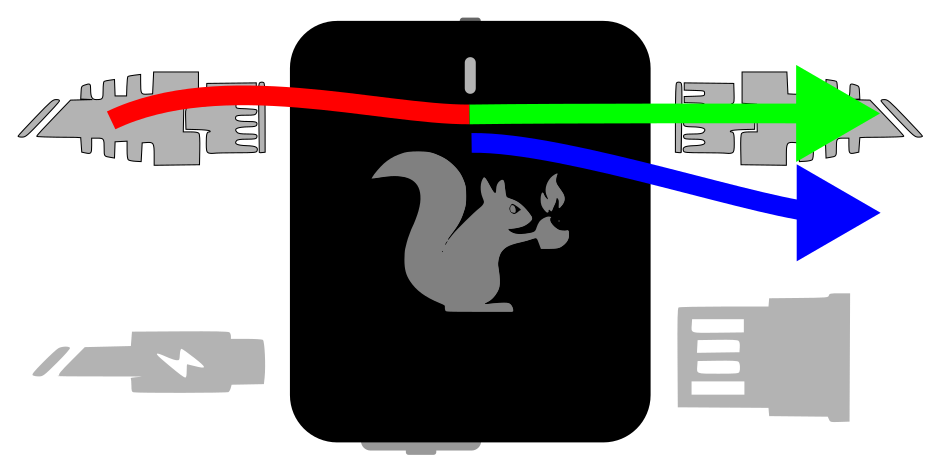
Packet Squirrel BRIDGE mode
Packets which are seen on one side of the Packet Squirrel are copied, without changes, to the other side.
Devices connected to the Target port will continue to get IP addresses from the network connected to the Network port.
In `BRIDGE` mode, the Packet Squirrel will also attempt to obtain an IP address from the connected network. `BRIDGE` mode supports VPN and Cloud C² operation.
`BRIDGE` mode is more subtle than `NAT` and is less obvious to the target devices, however the Packet Squirrel will still appear as a network device.
## TRANSPARENT
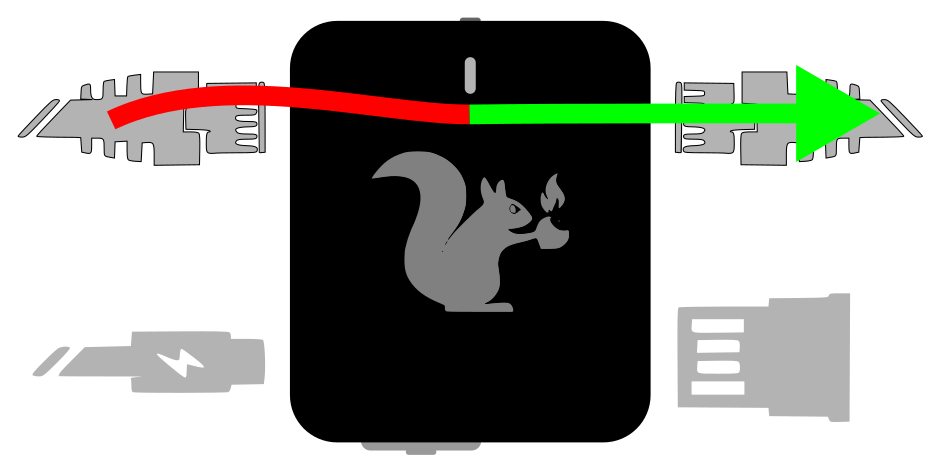
In `TRANSPARENT` mode, the Packet Squirrel operates as a transparent layer-2 bridge (the same as `BRIDGE` mode), but *does not* attempt to obtain an IP address from the Network port, and is not visible on the network.
Packet Squirrel TRANSPARENT mode
Devices connected to the Target port will continue to get IP addresses from the network connected to the Network port.
`TRANSPARENT` mode is the stealthiest operational mode, however the Packet Squirrel *will not* obtain an address from the network, and cannot use VPN or Cloud C² connectivity.
## JAIL
In `JAIL` mode, the Packet Squirrel will disconnect target devices from the network.
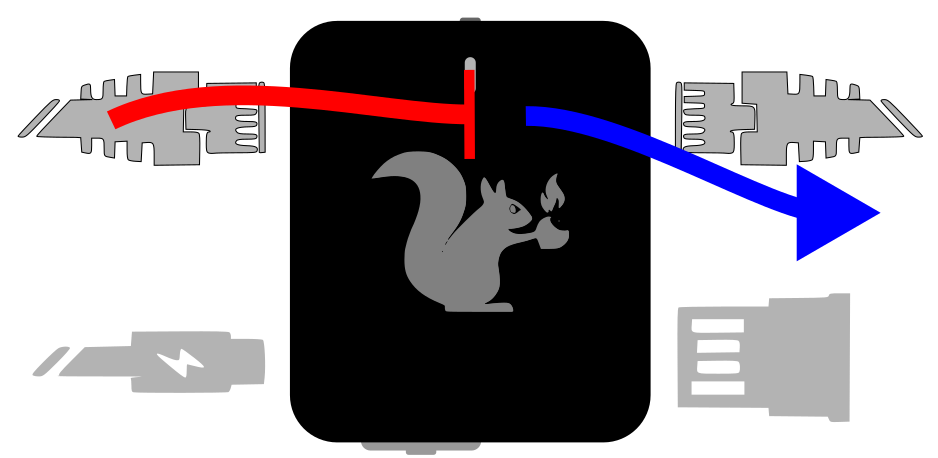
Packet Squirrel JAIL mode
Devices on the Target port will no longer have network or Internet access, and will not be able to obtain an IP address.
The Packet Squirrel itself will continue to have network access, and can continue to use VPN and Cloud C².
`JAIL` mode is most effective when combined with traffic detection or filtering payloads for blue-team exercises or for analyzing and disconnecting Target devices attempting to reach out to suspect resources on the network.
## ISOLATE
In `ISOLATE` mode, the Packet Squirrel disconnects the target devices from the network, and *does not remain connected* to the network.
Packet Squirrel ISOLATE mode
An isolated Packet Squirrel is unreachable until a payload changes state or the device is rebooted into another mode.
In ISOLATE mode, the Packet Squirrel has no network connection, and will not be able to connect to a VPN or to Cloud C².